
TL;DR:
- A structured redesign workflow ensures website decisions are intentional and aligned with business goals.
- Incorporating conversion strategies and SEO best practices throughout the process prevents performance and ranking issues.
- Clear communication, realistic timelines, and post-launch iteration are key to a successful, high-performing website.
Your website is either working for your business or quietly working against it. If your enquiry rates are flat, your e-commerce revenue has plateaued, or visitors are bouncing before they ever reach your booking page, the problem is rarely your traffic. It is almost always your website. A structured redesign workflow changes that. Rather than guessing your way through a redesign and hoping for better results, a clear process ensures every decision is intentional, every page is built to convert, and every pound spent moves the needle in the right direction.
Table of Contents
- Why your website needs a redesign workflow
- Essential steps in the website redesign workflow
- Integrating conversion optimisation into your redesign
- SEO and digital marketing during the redesign process
- What most redesign workflows get wrong (and how to fix it)
- Expert help for your next website redesign
- Frequently asked questions
Key Takeaways
| Point | Details |
|---|---|
| Structured workflow benefits | A clear redesign process minimises errors and accelerates website improvements. |
| Conversion at every stage | Integrate conversion optimisation from initial planning to final launch for best results. |
| SEO integration is vital | Protect rankings and grow visibility by addressing SEO in every phase of your redesign. |
| Continuous iteration | Review and optimise post-launch to keep performance and conversions high. |
Why your website needs a redesign workflow
Most business owners approach a website redesign the way you might redecorate a room: pick some new colours, swap out a few images, and hope it feels fresher. The problem is that a website is not a decoration. It is a sales tool, and rebuilding it without a plan is one of the most expensive mistakes you can make.
Without a structured workflow, redesign projects tend to spiral. Timelines stretch, scope creeps, key stakeholders give conflicting feedback in the final week, and the result is a website that looks different but performs the same. In some cases, it performs worse, particularly when SEO is disrupted or the user journey is accidentally broken during migration.
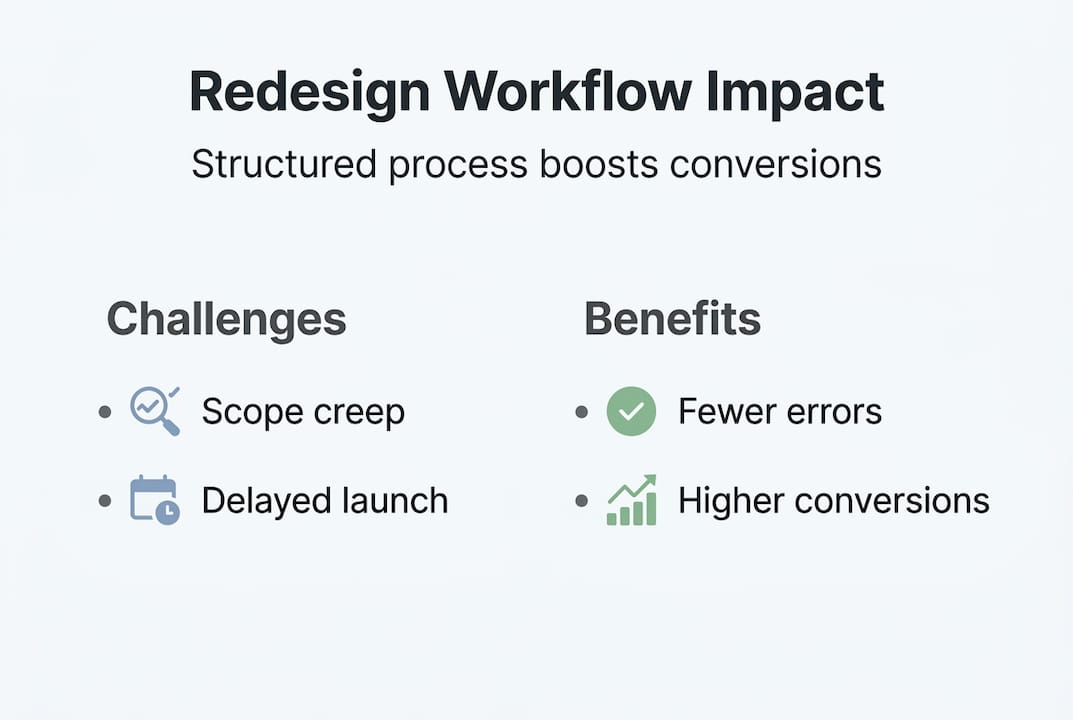
A robust redesign workflow protects you from all of this. It creates accountability, reduces costly errors, and ensures that every stage of the project is tied back to a specific business outcome. Businesses that follow structured redesign processes consistently see faster time-to-market, fewer post-launch fixes, and stronger initial performance, because the thinking happens before the building.
Here is what goes wrong when there is no workflow:
- Unclear goals lead to vague briefs, which lead to a website that pleases no one
- No content audit means broken links, duplicate pages, and missed SEO opportunities carry over into the new site
- Missing stakeholder sign-off stages result in expensive late-stage revisions
- No testing protocol means bugs and UX issues are discovered by real customers, not your team
- Zero conversion strategy produces a visually polished site that still fails to generate leads or sales
The sectors we work in, assisted living, e-commerce, and experience-based businesses, all face specific pressures that make a workflow non-negotiable. An assisted living facility needs its website to build trust instantly and guide families through an emotionally charged decision. An e-commerce brand needs every product page, cart flow, and checkout interaction to be deliberately optimised. A luxury retreat needs its digital presence to reflect the calibre of its offering without a single friction point in the booking process.
Understanding conversion optimisation strategies is fundamental to building a website that actually performs. Without that lens applied throughout the redesign, you are simply rearranging your existing problems behind a new design.
“A website redesign without a clear workflow is not a project. It is a hope.”
Building that workflow is also directly linked to website conversion for business growth, because a structured process ensures every design decision is grounded in what your users need to see, feel, and do before they take action.

Essential steps in the website redesign workflow
Understanding why a workflow matters, let us break down the core steps you need to implement. This is not a theoretical framework. These are the exact stages that separate a high-performing website launch from one that quietly disappoints.
-
Discovery and goal setting Start by defining what success looks like in measurable terms. Is it enquiries per month? Revenue per visitor? Booking conversion rate? Without clear metrics, you cannot evaluate whether the redesign worked. Interview your team, your best customers, and review your analytics for at least six months of data.
-
Content audit Review every page on your existing site. Identify what is performing, what is dead weight, and what is missing entirely. This stage protects your SEO rankings by ensuring strong-performing pages are preserved and redirected properly.
-
User research and competitor analysis Study how your target audience navigates similar websites. Review three to five competitors and note what they do well and where they fall short. This intelligence feeds directly into your information architecture and page hierarchy decisions.
-
Wireframing and prototyping Before a single line of design or code is written, map out the user journey visually. Wireframes allow you to test navigation logic, page structure, and calls-to-action without expensive revisions later. Share these with stakeholders for early sign-off.
-
Design, development, and content production These three streams should run in parallel wherever possible. Following web design best practices at this stage means designing for mobile first, maintaining accessibility standards, and ensuring every page template is built for conversion, not just presentation.
-
Technical migration and QA testing Before launch, every page, redirect, form, and integration must be tested. This includes load speed, mobile responsiveness, broken links, and payment gateway functionality for e-commerce businesses.
-
Staged launch and post-launch monitoring Launch to a staging environment first. Monitor analytics from day one and compare performance against your baseline metrics from the discovery stage. Following conversion rate optimisation steps in the weeks post-launch allows you to iterate quickly based on real user data.
| Stage | Key tool | Primary stakeholder | Typical timeframe |
|---|---|---|---|
| Discovery | Google Analytics, interviews | Business owner | 1 to 2 weeks |
| Content audit | Screaming Frog, Ahrefs | SEO lead | 1 week |
| Wireframing | Figma, Miro | Designer, stakeholders | 1 to 2 weeks |
| Design and build | Figma, WordPress, Shopify | Designer, developer | 4 to 8 weeks |
| QA and testing | BrowserStack, Hotjar | QA lead | 1 week |
| Launch and monitoring | Google Analytics, Search Console | Full team | Ongoing |
Pro Tip: Do not wait until launch to involve your sales or admissions team. They know exactly what questions clients ask before converting. That intelligence should inform your copy, your FAQs, and your calls-to-action at the wireframe stage, not after you go live.
Integrating conversion optimisation into your redesign
With a clear workflow in place, let us explore how to embed effective conversion strategies throughout each stage, rather than bolting them on at the end.
The most common error is treating conversion optimisation as a finishing touch. You do not add CRO after the design is done. You bake it into every decision from day one. The layout of your homepage, the placement of your contact form, the colour of your primary button, the number of fields in your enquiry form: every single one of these affects your conversion rate.
Here is where to apply specific tactics at each stage:
- Discovery stage: Use heatmaps and session recordings on your current site to identify where users drop off. Tools like Hotjar reveal which elements are ignored and which generate clicks, giving you a data foundation for design decisions.
- Wireframe stage: Position your primary call-to-action above the fold on every key page. For assisted living websites, this means a clear “Book a tour” or “Request information” button visible before scrolling. For e-commerce brands, it means product imagery and an add-to-cart option without unnecessary friction.
- Design stage: Test headline variations, button copy, and social proof placement. A/B testing at this stage, even on a staging environment with internal reviewers, helps surface the strongest options before launch.
- Post-launch stage: Set up goal tracking in Google Analytics from day one. Monitor your form completion rate, your average session duration, and your pages-per-session metric weekly for the first month.
The conversion optimisation tips that generate the most revenue are not always the most obvious ones. Often, removing friction, such as reducing form fields from eight to three, or adding a single trust badge near a payment button, produces far greater results than a complete visual overhaul.
| CRO tactic | Redesign stage | Impact area |
|---|---|---|
| Heatmap analysis | Discovery | Identifies drop-off points |
| Above-the-fold CTA | Wireframing | Increases form submissions |
| Social proof placement | Design | Builds trust, reduces hesitation |
| Form field reduction | Development | Boosts enquiry completion |
| A/B button testing | Pre-launch | Improves click-through rate |
| Goal tracking setup | Post-launch | Enables data-driven iteration |
For e-commerce brands specifically, the checkout flow deserves its own dedicated review within the redesign workflow. A measurable conversion workflow should include basket abandonment analysis, guest checkout options, and trust signal placement near the payment step as absolute non-negotiables.
Pro Tip: For experience-based businesses such as shooting venues or luxury retreats, video testimonials placed on key landing pages consistently outperform written reviews for conversion. Include this as a content requirement in your redesign brief from the start.
SEO and digital marketing during the redesign process
Besides conversion optimisation, you also need to protect and extend your digital reach during the redesign. This is the area where the most damage tends to occur quietly and expensively.
Many businesses launch a redesigned website and within three months wonder why their organic traffic has fallen by 30 percent. The answer is almost always poor URL management, missing redirects, or stripped meta tags. These are entirely preventable with the right checklist built into your workflow.
“Losing your search rankings during a redesign is like clearing a venue for refurbishment and forgetting to tell your regulars where you have moved.”
Your SEO protection checklist at each redesign stage should include:
- Pre-redesign: Export all existing URLs and their current ranking positions. Identify your top-performing pages by organic traffic and ensure these are prioritised in the new site structure.
- During design and build: Maintain all existing meta titles and descriptions unless you are actively improving them. Preserve heading hierarchy (H1, H2, H3 structure) across all page templates.
- During migration: Set up 301 redirects for every URL that is changing. Even minor structural changes to URLs, such as removing a subfolder, require a redirect to preserve link equity.
- Post-launch: Submit your updated sitemap to Google Search Console on launch day. Monitor crawl errors daily for the first two weeks and resolve any issues immediately.
Aligning your redesign timeline with your broader digital marketing calendar is equally important. If you run seasonal paid advertising campaigns, plan your launch well outside those windows. Launching a new site mid-campaign introduces risk at exactly the moment you need stability. Following SEO strategies for redesign ensures continuity rather than disruption.
Conducting technical SEO audits both before and after launch is not optional for businesses in competitive markets. Page speed, Core Web Vitals, schema markup, and mobile usability all feed directly into your search rankings and should be validated at the QA stage.
Staying current with SEO trends for 2026 also means considering AI-generated search results, voice search formatting, and structured data as part of your rebuild, not as an afterthought.
What most redesign workflows get wrong (and how to fix it)
Having guided many businesses through redesigns, we have seen a consistent pattern. The businesses that struggle most are not the ones with small budgets or modest goals. They are the ones that treat the redesign as a purely visual exercise and underestimate the operational side entirely.
The biggest overlooked error is the absence of cross-team communication. The designer works in isolation, the developer interprets the brief differently, and the business owner only reviews the finished product. By then, changing course is expensive and morale-damaging.
The second most common failure is unrealistic timelines. Rushing the QA stage to meet an arbitrary launch date is a guaranteed route to post-launch fire-fighting. Build buffer time in. Protect your testing window.
Launch-day panic is real, and the cure is a documented checklist reviewed by at least two team members before anything goes live. Without it, critical steps get skipped under pressure.
Finally, the value of post-launch iteration is almost always underestimated. Your first live version is not the finished product. It is the starting point. Reviewing insights from digital agencies’ redesign insights makes clear that the businesses achieving the strongest long-term results treat launch as the beginning of an optimisation cycle, not the end of a project.
Expert help for your next website redesign
Putting a workflow like this into practice takes expertise, coordination, and the right tools from the outset. If you are planning a redesign and want to ensure it delivers measurable results rather than just a new look, the team at NU Life Digital can help.

Our web design services are built around conversion from the ground up, not aesthetics as an afterthought. Whether you are an assisted living facility looking to increase enquiries, an e-commerce brand applying e-commerce conversion strategies to scale revenue, or an experience business ready to attract higher-value clients, we design and build websites that are engineered to perform. Explore our conversion optimisation tips to understand the standards we apply, or get in touch to discuss your project directly. Getting started is straightforward, and the results are measurable.
Frequently asked questions
How long should a website redesign workflow take?
A typical website redesign workflow can range from a few weeks to several months, depending on the complexity of the site, the number of stakeholders involved, and the scope of content and technical work required. Smaller sites with clear briefs can move faster, but larger builds benefit from a more deliberate timeline.
What is the most common mistake in redesign workflows?
The most common mistake is neglecting conversion optimisation throughout the process, which results in a visually polished website that still fails to generate enquiries, bookings, or sales at the rate the business needs.
How do you maintain SEO when redesigning your website?
Maintaining SEO during a redesign involves mapping all old URLs to their new equivalents, setting up 301 redirects, preserving and improving meta tags, and conducting technical SEO audits before and after launch to catch any crawl errors or ranking disruptions early.
Should redesign and conversion optimisation be handled together?
Yes. Integrating conversion optimisation into the redesign workflow from the discovery stage maximises your investment and ensures the new site is built to support your specific business goals, rather than requiring a second round of costly fixes after launch.
Recommended
- Website conversion workflow that drives measurable growth – Nu Life Digital
- How web design drives conversion for assisted living – Nu Life Digital
- Conversion optimisation explained: strategies for revenue growth – Nu Life Digital
- Boost revenue with top website conversion optimisation tips – Nu Life Digital