
TL;DR:
- Your website structure influences both user experience and search engine performance, shaping your digital success. Proper planning, URL hierarchy, internal linking, and regular maintenance are essential for scalable growth and optimal indexing. Ignoring these fundamentals can lead to lost traffic, poor rankings, and costly fixes that hinder your business goals.
Your website structure is either working for you or quietly working against you. Poor site architecture causes visitors to leave before converting, search engines to misread your content, and pages to disappear into indexation black holes. This website structure optimisation guide covers everything you need to fix that: from pre-work and planning, through URL design and navigation, to ongoing verification and maintenance. Follow it properly and you will see measurable improvements in both user experience and search performance.
Table of Contents
- Key takeaways
- The essential preparation work
- Designing your URL structure and site hierarchy
- Navigation menus and internal linking
- Verifying and maintaining your site structure
- My honest take on website structure
- How Nulifedigital can help
- FAQ
Key takeaways
| Point | Details |
|---|---|
| Audit before you build | Map your existing content and identify gaps before making any structural changes. |
| Keep depth to three levels | All pages should be reachable within three clicks to aid both users and search engines. |
| Limit menu items to seven | Primary navigation with more than seven items creates cognitive overload and reduces usability. |
| Use a linking matrix | Plan internal links in a spreadsheet to prevent orphan pages and manage link equity deliberately. |
| Verify and adapt regularly | Run technical audits routinely and update your structure as content grows and search evolves. |
The essential preparation work
Before you touch a single URL or menu item, you need to understand what you are working with. Skipping this stage is the single most common reason website structure projects fail. Businesses redesign navigation, shuffle pages around, and still end up with the same problems because they never addressed the underlying architecture.
Start by defining your website’s goals in concrete terms. Are you generating leads, driving e-commerce sales, building brand authority, or some combination? Your structure must serve those goals first. A professional services site that buries its contact page three levels deep is structuring itself for failure, regardless of how the homepage looks.
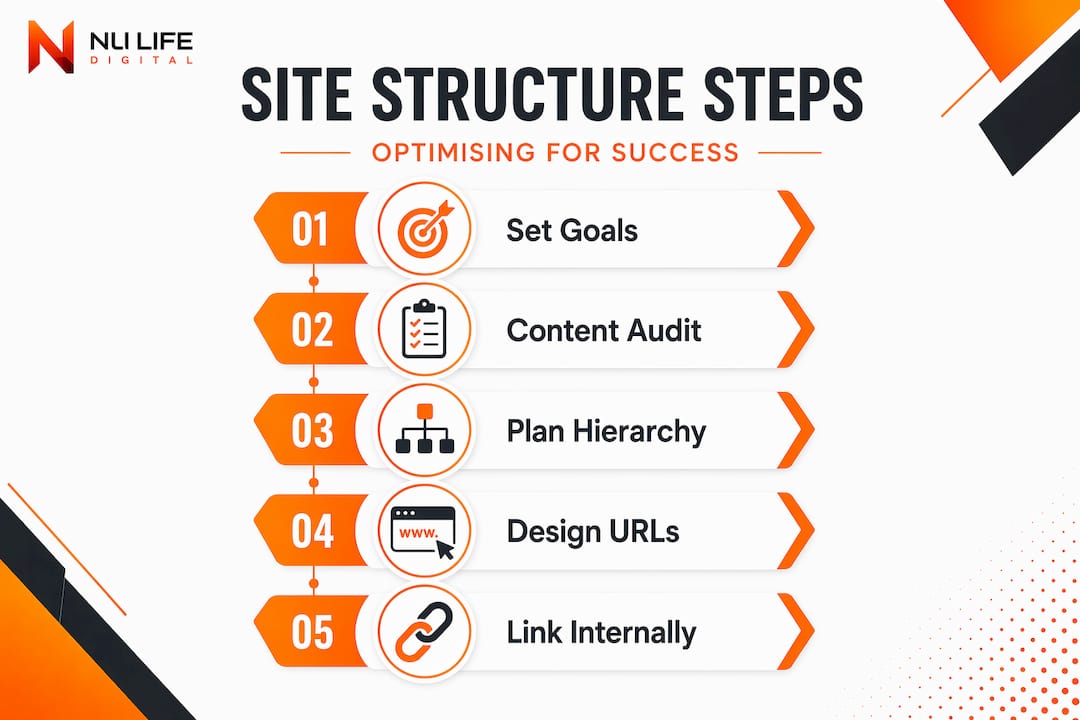
Next, conduct a content inventory. Pull a full list of every page on your site, its URL, page title, purpose, and traffic data. A simple spreadsheet works well here.
Pro Tip: Add columns to your spreadsheet for “planned internal links in” and “planned internal links out” for each page. This gives you a bird’s eye view of your link architecture before you build anything and is the foundation for a proper linking matrix later.
Once you have your inventory, choose an architectural model that fits your content volume and business type. The four main models are:
- Hierarchical (tree structure): Best for large sites with clearly defined categories, such as e-commerce or news publications.
- Hub-and-spoke: A central pillar page links out to cluster pages on related topics. Works well for content-heavy websites and supports topical authority in search.
- Flat: Every page is reachable from the homepage in one or two clicks. Suits small sites with under 20 pages.
- Hybrid: Combines elements of the above. The most common choice for growing businesses.
Set measurable objectives before making changes. Decide what success looks like: improved crawl coverage, lower bounce rate on key landing pages, or increased conversions from organic traffic. These targets will guide every decision and help you assess what is working.
Designing your URL structure and site hierarchy
URL structure is not a cosmetic choice. Websites with clean, hierarchical URLs experience up to 30% better crawl efficiency, which means more of your content gets indexed and ranked. Getting this right from the start saves you from painful redirects and broken internal links later.

The principle is straightforward: your URLs should mirror your site hierarchy. If you have a services section with individual service pages beneath it, that should be visible in the URL path. Here is how that looks in practice:
| Approach | Example URL | Pros | Cons |
|---|---|---|---|
| Hierarchical path | /services/web-design | Clear category, good for SEO | Can create deeper paths if over-nested |
| Flat URLs | /web-design | Short, direct | Loses category context for large sites |
| Parameter-based | /page?id=42 | Easy for developers | Poor for users and search engines |
| Date-based | /2024/05/web-design | Works for news/blogs | Dates content quickly, limits evergreen value |
For most business websites, a hierarchical path structure wins. Keep URLs short and descriptive. Use keywords where they naturally fit, but avoid stuffing. Lowercase letters only, words separated by hyphens (within the URL itself), and no unnecessary parameters or session IDs.
Limit your site depth to three levels wherever possible. Pages reachable within three clicks from the homepage perform better for both users and search engine crawlers. A page buried at the fourth or fifth level is, in practical terms, nearly invisible.
Pro Tip: Align your URL paths with your breadcrumb navigation. If your URL reads /services/seo/technical-audits, your breadcrumb should read Home > Services > SEO > Technical Audits. This consistency improves user orientation and helps breadcrumb navigation appear in search results, which boosts click-through rates.
Navigation menus and internal linking
Here is something most guides get wrong: navigation and structure are not the same thing. As one architectural principle makes clear, a website can have good navigation but poor underlying hierarchy. You can build a clean-looking menu on top of a chaotic site and still get terrible results. The menu must reflect a well-organised site beneath it, not mask a disorganised one.
For primary menus, limit yourself to five to seven items. Research consistently shows that more than seven options causes cognitive overload, slowing decision-making and increasing the likelihood that visitors leave without acting. Every item in your primary menu should represent a major destination: not a subcategory, not a blog tag, not an archive page.
Use secondary navigation tools appropriately:
- Footer menus: Good for utility links such as privacy policy, terms, contact, and sitemap.
- Breadcrumb navigation: Place on all pages below the homepage level. Improves orientation and assists crawlers.
- Mega menus: Only use these if you have a genuine volume of categories that users need to browse. They work for large e-commerce sites; they overwhelm a ten-page professional services site.
Internal linking is where most business websites leave significant SEO value on the table. There are three types of internal links you should be using deliberately:
- Navigational links: In menus, breadcrumbs, and footers. These define the structure.
- Contextual links: Within body content, linking to related pages when the topic naturally calls for it.
- Hub links: From a pillar or category page out to all supporting cluster pages.
Orphan pages are pages with no internal links pointing to them. They are effectively invisible to search engines and extremely difficult for users to discover. A linking matrix spreadsheet solves this before it becomes a problem. List every page as both a row and a column, then mark where links exist. Any row with no inbound marks is an orphan waiting to hurt your SEO.
Common navigation and linking mistakes to avoid:
- Duplicating the same page in multiple menu locations without canonical clarity
- Linking only to your top-level pages and ignoring deeper service or product pages
- Using generic anchor text like “click here” instead of descriptive, keyword-relevant phrases
- Letting new blog posts go live without at least two contextual internal links pointing to them
- Relying on the footer as the only route to important pages
Pro Tip: Before launching any new page, check your linking matrix and identify at least two existing pages that can contextually link to the new one. This one habit prevents orphan pages entirely and supports your SEO site structure from day one.
Well-structured site architecture distributes link equity across your pages and improves user engagement. This is not abstract theory. It directly affects which pages rank, how long visitors stay, and whether they convert.
Verifying and maintaining your site structure
Getting the structure right initially is only half the work. Websites grow, content gets added, and problems accumulate quietly until they become significant. A structured verification and maintenance routine keeps everything performing as intended.
Here is a practical numbered process to follow:
- Run a full crawl audit using a technical SEO tool at least every quarter. Look specifically for crawl errors, redirect chains, broken internal links, and pages returning non-200 status codes. A good technical SEO audit catches these before Google does.
- Identify orphan pages by cross-referencing your crawl data with your linking matrix. Any page in your crawl that has zero internal links pointing to it needs fixing immediately.
- Check click depth across your most important pages. If any key service or product page sits more than three clicks from the homepage, restructure the path or add contextual links to bring it closer.
- Monitor bounce rates and engagement by page in your analytics platform. Unusually high exit rates on pages that should be converting often signal a structural navigation problem, not just a content problem.
- Update your XML sitemap whenever significant structural changes are made and resubmit it via Google Search Console.
- Review your URL structure when adding new content sections. Maintain consistency so new additions follow the same logical pattern as existing pages.
- Optimise for AI search by using semantic HTML elements, structured data markup, and placing concise, factual answers near the top of each content block. AI search systems in 2026 prioritise machine-readable, well-structured content with clear semantic markup, and this is only going to matter more over time.
Structural maintenance is not a once-a-year exercise. Treat it as part of your regular website operations, the same way you would review your advertising spend or update your product listings.
My honest take on website structure
I have worked on enough websites to say this with confidence: most businesses underestimate how much their structure is costing them. Not just in rankings, but in conversions. A visitor who cannot find what they need within two or three clicks does not try harder. They leave.
What I have found is that the businesses who treat structure as an afterthought always end up with technical debt they cannot easily reverse. They add content without a plan, build navigation as an afterthought, and then wonder why their organic traffic plateaus. The fix at that point is expensive and disruptive.
The other misconception I see constantly is that good-looking navigation means good structure. It does not. Consistent, logical architecture is what conveys topical authority to search engines, and that comes from the underlying hierarchy, not the visual design. I have seen beautiful websites with terrible crawl coverage, and simple-looking sites that rank for hundreds of terms because their structure is clean and logical.
My advice is to plan first, build second, and audit often. Use pillar pages and content clusters if you produce content regularly. They support scalable growth in a way that ad hoc publishing never does. And do not skip the linking matrix. It sounds like extra work upfront, but it saves hours of remediation later.
If there is one thing I would want you to take from this guide, it is that structure is a business decision, not just a technical one. Get it right and everything else gets easier: SEO, conversions, and scaling.
— Ryan
How Nulifedigital can help
If reading this has made you realise your website structure needs more than a quick fix, Nulifedigital builds sites from the ground up with architecture that performs.

At Nulifedigital, every website we design is built on a deliberate structural foundation. Pages are organised to guide visitors naturally toward action, URLs are clean and crawlable, and internal linking is planned before a single page goes live. Our web design services combine conversion-focused design with SEO-friendly architecture to give your site the best possible foundation for organic growth. We also integrate AI tools that make your content machine-readable and future-ready for evolving search systems. If you want a site that earns traffic and turns it into revenue, explore how our website redesign approach delivers measurable results for ambitious businesses.
FAQ
What is website structure optimisation?
Website structure optimisation is the process of organising your site’s pages, URLs, navigation, and internal links so that both users and search engines can find and understand your content efficiently.
How many levels deep should a website be?
All pages should be reachable within three clicks from the homepage. Pages buried deeper than this are harder for crawlers to index and less likely to be found by users.
How many items should a primary navigation menu have?
Keep your primary menu to five to seven items. More than seven options creates cognitive overload and reduces the likelihood that visitors take a clear next step.
What is an orphan page and why does it matter?
An orphan page is a page with no internal links pointing to it. Orphan pages are difficult for search engines to discover and nearly impossible for users to find, which harms both rankings and user experience.
How often should I audit my website structure?
Run a full structural audit at least every quarter. If you publish content regularly or make frequent changes to your site, consider auditing monthly to catch crawl errors and orphan pages before they compound.